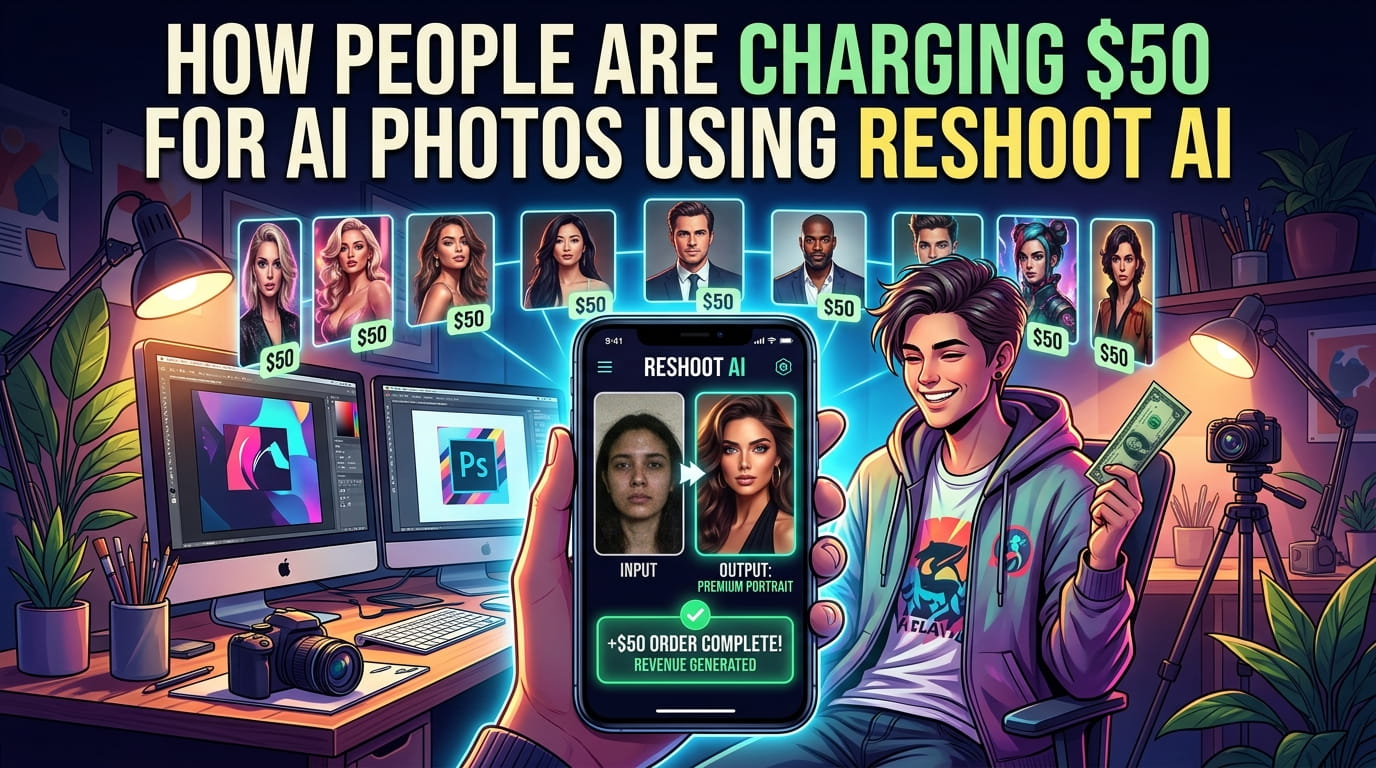
What Exactly is Reshoot AI? (And Why is it Viral?)
In simple words, Reshoot AI is an intelligent “re-imagining” tool. While apps like Instagram or Snapchat just put a layer over your face, Reshoot actually understands your features. It uses something called “Generative AI” to recreate your photo.
Think of it as a “Digital Makeover.” You give it a basic photo, and it can change your clothes, fix your messy hair, or even transport you from your messy bedroom to a high-end corporate office or a beach in Maldives.
The Features That Actually Matter
Most apps are filled with useless buttons. Reshoot AI keeps it simple. Here is what I actually used and loved:
1. Professional Headshots (The LinkedIn Saver)
Need a professional photo for your CV or LinkedIn but don’t want to wear a suit in 40-degree heat? You can upload a casual photo in a T-shirt, and the app will “clothe” you in a sharp blazer. The skin texture looks so real that no one can tell it’s AI.
2. The “Clean Up” Magic
We’ve all had that one perfect photo ruined by a trash can in the background or a stray wire. The AI retouching tool in Reshoot is incredibly intuitive. It doesn’t just blur the background; it replaces it with something that looks aesthetically pleasing.
3. Hairstyle & Makeover Experiments
If you’re thinking about getting a haircut but are scared of the “expectation vs. reality” disaster, you can test it here first. From buzz cuts to long waves, it lets you see your “future self” before you visit the salon.
My Personal Experience: The “Too Good To Be True” Moment
I tried the app with a very blurry selfie I took in low light. Honestly, I expected a cartoonish result. But in about 30 seconds, the AI “de-blurred” my face, fixed my skin tone, and made the lighting look like I was standing in front of a softbox.
The catch? It’s not always 100% perfect. Sometimes, if the original photo is too dark, the AI might give you an extra finger or a slightly weird ear. But for 9 out of 10 photos, it’s absolutely stunning.
5. Actionable Insights: How to Get the Best Results
If you want to use Reshoot AI like a pro, follow these simple rules:
- Good Lighting is Key: Even though it’s AI, give it a decent base. Stand near a window.
- Don’t Overdo the Filters: Keep the “AI strength” at a medium level to ensure you still look like you.
- Check the Hands: AI sometimes struggles with fingers. Always double-check your hands before posting!
- Use the ‘Merge’ Feature: If you have two photos where you look good in one and the background is good in another, use the merge tool to get the best of both worlds.
6. Conclusion
We live in a world where your “Digital First Impression” matters. Whether it’s for a job, a dating profile, or just your Instagram feed, looking polished helps. Reshoot AI takes the stress out of photography. You don’t need a ₹1 Lakh camera anymore; you just need a little bit of AI “Tadka.”
Is it worth a download? Absolutely. Even the free version gives you enough to play with and see the magic for yourself.
What do you think? Is AI photography the future, or do you prefer the “natural” look? Let me know in the comments!
FINAL MASTER PROMPT (Copy this now!)
You are a senior AI engineer and full-stack developer.
Your task is to build a basic MVP of an “AI Photo Generator & Editor App” similar to Reshoot AI.
⚠️ IMPORTANT:
- Use existing AI APIs (do NOT build models from scratch)
- Focus on simple UX + working AI output
- Keep code clean and beginner-friendly
🧠 APP OVERVIEW
Build an app where users can:
- Upload a photo (selfie)
- Apply AI transformation
- Generate new styled images
- Download results
🏗️ TECH STACK
Frontend:
- React (Vite)
- Tailwind CSS
Backend:
- FastAPI (Python)
AI APIs:
- Replicate API OR OpenAI Image API OR Stability AI
- Use pre-trained models:
- face enhancement
- image-to-image generation
🎯 CORE FEATURES (MVP)
- IMAGE UPLOAD
- Upload image (jpg/png)
- Preview before processing
- AI GENERATE BUTTON
- Button: “Generate AI Photo”
- Send image to backend
- STYLE SELECTION
- Dropdown:
- Professional headshot
- Cartoon
- Anime
- Studio portrait
- AI PROCESSING
- Send image + prompt to AI API
- Example prompt:
“Convert this selfie into a professional business headshot with suit, studio lighting”
- RESULT DISPLAY
- Show generated image
- Option to download
🎨 UI DESIGN
- Modern minimal UI
- Centered card layout
- Big preview image
- Loading spinner while processing
⚙️ BACKEND LOGIC
- Endpoint: POST /generate
- Accept:
- image file
- style
- Process:
- Convert image to base64
- Send to AI API
- Receive generated image
- Return result
📁 PROJECT STRUCTURE
backend/
main.py
services/ai_service.py
frontend/
src/
components/
Upload.jsx
StyleSelector.jsx
Result.jsx
🔥 BONUS
- MULTIPLE OUTPUTS
- Generate 3–4 variations
- HISTORY
- Store previous images
- PROMPT INPUT
- Allow custom prompt
🚀 OUTPUT FORMAT
Return:
- Full working code (frontend + backend)
- Setup instructions
- .env file example
Make sure app works end-to-end.
7. FAQs
Q1: Is Reshoot AI free to use? Yes, the app offers a free version with daily credits. However, for unlimited exports and premium styles, there is a subscription model.
Q2: Does it work on Android and iPhone? Currently, Reshoot AI is highly optimized for iPhone (iOS), but check the Play Store for the official version by HUBX for Android users.
Q3: Is my data safe with this app? Reshoot AI collects usage data to improve its models, but you should always review their privacy policy. Avoid uploading highly sensitive or private photos to any AI cloud-based app.
Q4: Can I use these photos for my official Passport? I wouldn’t recommend it. Passport offices require “unaltered” photos. Use these for social media, LinkedIn, and personal branding instead.
Q5: Why does my face look slightly different in the AI version? The AI “regenerates” your face based on patterns. If you feel it’s too much, try using a clearer original photo so the AI has more “real” data to work with.