Have you ever set your alarm for 6:00 AM, feeling super motivated at night, only to hit the snooze button five times the next morning?
Yeah, me too. We’ve all been there.
The app is called Erly, and it’s slowly taking over the internet.
You wake up feeling groggy, guilty, and like you’ve already failed the day before it even started.
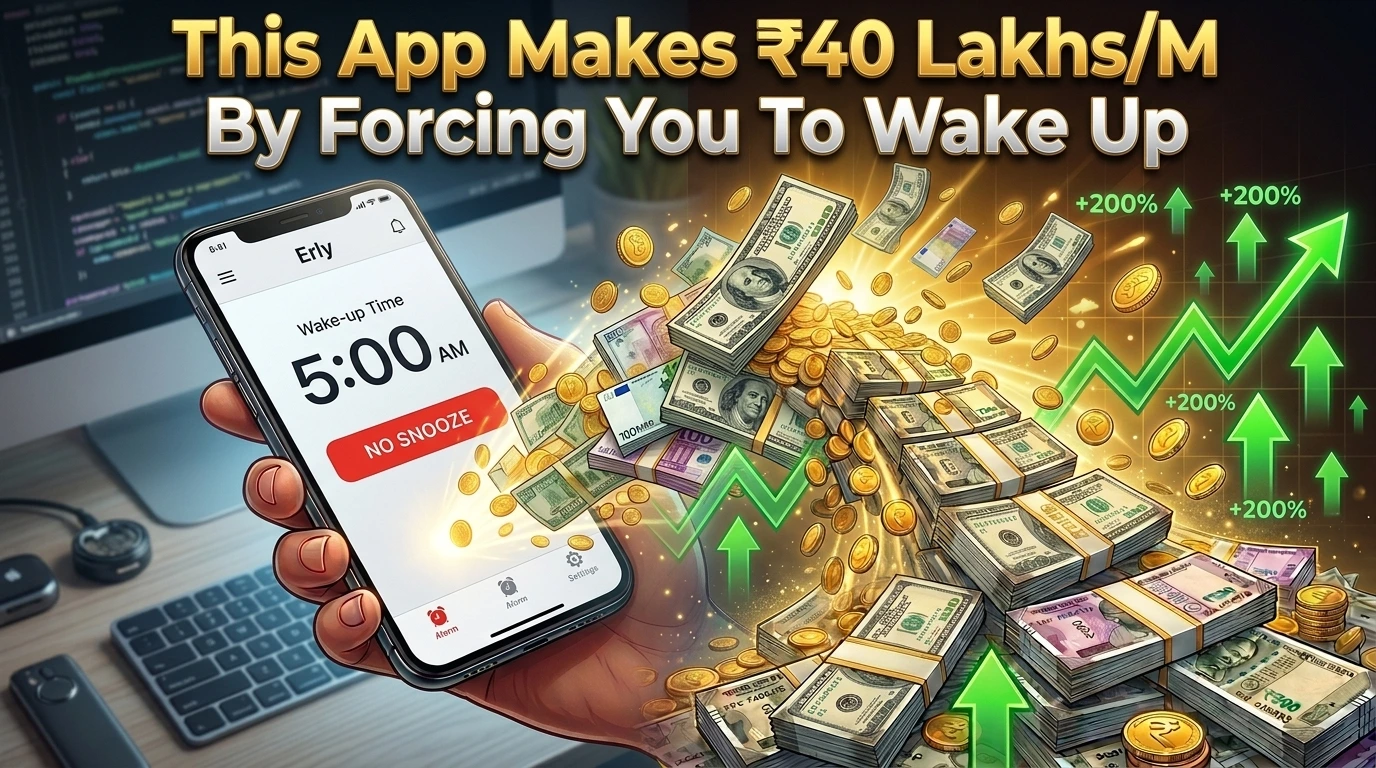
But what if I told you there’s a new app that makes it physically impossible to go back to sleep? An app so brutally effective that it’s not only fixing people’s mornings—it’s making its solo creator over $50,000 (around ₹41 Lakhs) every single month.
Today, we are going to break down exactly why this app is going viral, how it forces you out of bed, and why you might need it on your phone right now.
The “Snooze Button” Epidemic
Let’s be honest. Regular alarms just don’t work anymore.
Our brains are too smart. When that default iPhone radar sound goes off, your half-asleep brain knows exactly how to swipe right, turn it off, and dive back under the blanket.
It’s a massive problem. When you hit snooze, you trick your body into starting a new sleep cycle. When you wake up 10 minutes later, you feel 10x more tired. It destroys your focus, ruins your discipline, and kills your morning momentum.
That’s exactly the problem Erly was built to solve.
Enter Erly: The App That Takes No Excuses
Erly isn’t just an alarm clock. It’s a ruthless accountability partner that lives inside your phone.
Created by a solo developer named Jake Glacer, this app realized one simple truth: Motivation is fake. Accountability is real.
Here is what makes Erly completely different from the default clock app on your phone:
- Smart Missions: The alarm will not shut up until you complete a real-world task. We’re talking about doing actual push-ups, scanning a barcode in your bathroom, or solving math problems.
- Zero Snoozing Allowed: There is literally no snooze button. You either win the morning, or you lose. No middle ground.
- Locked Goals: Once you are within 4 hours of your wake-up time, your alarm locks in. You cannot open the app at 3:00 AM and change your alarm to 9:00 AM just because you feel lazy.
- The Streak System: It gamifies your mornings. You record your wake-up time, and you build a streak. Seeing that 15-day winning streak on your screen makes you not want to break it.
It’s harsh? Yes. Does it work? Absolutely.
How a Simple App is Making ₹41 Lakhs a Month
Here’s the craziest part of the story. Erly isn’t backed by some massive tech giant.
It was built by one guy who solved a problem he was facing himself. He launched it, marketed it cleverly on social media by showing how “brutal” the app is, and it blew up.
Within just 4 months of launching, Erly hit $50,000 in monthly recurring revenue. People are happily paying the roughly $24/year (around ₹2,000) subscription fee because the app actually delivers on its promise. It gives them their time back.
It’s a masterclass in building something simple that solves a painful, daily problem for millions of people.
Actionable Insights: How to Build an Unbreakable Morning Routine
Whether you download Erly today or not, you can steal the psychology behind it to fix your own mornings. Here is how:
- Create Friction: Put your phone across the room. If you have to physically get out of bed to turn off the alarm, you are 80% more likely to stay awake.
- Gamify Your Life: Track your wake-up times on a calendar. Put a big red ‘X’ for every day you wake up on time. Don’t break the chain.
- Find Your “Why”: Waking up early just to sit on the sofa and scroll Instagram is useless. Have a clear, exciting task ready for the first 30 minutes of your day.
- Invest in Accountability: If you struggle with self-discipline, pay for an app like Erly. When your own money is on the line, you take it seriously.
Final Thoughts: Are You Ready to Own the Day?
We all have exactly 24 hours in a day. The people who are winning in life aren’t necessarily smarter than you—they just control their mornings better.
Erly is proving that sometimes, we don’t need more motivation. We just need a system that removes our ability to make excuses.
If you are tired of losing the battle against your bed every morning, it might be time to let an app do the hard work for you.
You are a senior mobile app developer, product designer, and full-stack engineer.
Your task is to build a basic MVP of a “Social Planning & Event Discovery App” inspired by Erly.
⚠️ IMPORTANT:
- Focus only on the core MVP features
- Do not copy Erly’s branding, logo, copyrighted assets, or exact UI
- Build an original user interface inspired by the general product concept
- Keep the code clean, modular, scalable, and beginner-friendly
- Prioritize mobile-first UX
- Make sure the app works end-to-end
- Do not over-engineer the MVP
🧠 APP OVERVIEW
Build a mobile-first social planning app where users can:
- Discover things to do
- Create personal plans
- Save interesting places and activities
- Organize plans into lists
- Invite friends
- Share plans with others
- Track upcoming activities
The main goal of the app is to make discovering, saving, organizing, and sharing plans simple and enjoyable.
🏗️ TECH STACK
Mobile App:
- React Native
- Expo
- TypeScript
UI:
- NativeWind / Tailwind CSS
Backend:
- Supabase
Database:
- Supabase PostgreSQL
Authentication:
- Supabase Auth
Storage:
- Supabase Storage
Maps & Places:
- Google Maps API
- Google Places API
Notifications:
- Expo Notifications
🎯 CORE FEATURES (MVP)
1. USER AUTHENTICATION
Allow users to:
- Sign up
- Log in
- Log out
- Reset password
Authentication methods:
- Email and password
- Google login (optional)
After registration, create a basic user profile.
User Profile:
- Name
- Username
- Profile photo
- Bio
- City
🏠 2. HOME SCREEN
Create a personalized home screen.
Display:
- Upcoming plans
- Saved activities
- Recommended places
- Recently created plans
Create a simple card-based layout.
Example:
Upcoming Plans
“Coffee with Friends”
Saturday, 5:00 PM
Indore
🔍 3. DISCOVER ACTIVITIES
Allow users to discover:
- Restaurants
- Cafes
- Tourist attractions
- Entertainment
- Parks
- Events
- Activities
Use Google Places API.
Allow filtering by:
- Category
- Distance
- Rating
Each Place Card should show:
- Image
- Place name
- Category
- Location
- Rating
🔎 4. SEARCH
Create a search bar.
Users should be able to search:
- Places
- Restaurants
- Cafes
- Activities
Display results using cards.
Allow users to save search results.
❤️ 5. SAVE PLACES
Users can save places they like.
Create a “Saved” section.
Allow users to:
- Save place
- Remove saved place
- Add place to a list
Example Lists:
- Weekend Ideas
- Date Night
- Places to Visit
- Food Spots
- Travel Plans
📋 6. CREATE LISTS
Allow users to create custom lists.
User can:
- Create list
- Add title
- Add description
- Add cover image
- Add places
- Remove places
Example:
List Name:
“Best Cafes in Indore”
Places:
Cafe 1
Cafe 2
Cafe 3
📅 7. CREATE A PLAN
Allow users to create plans.
Plan Fields:
- Plan title
- Description
- Date
- Time
- Location
- Cover image
- Participants
Example:
Plan:
“Sunday Brunch”
Date:
Sunday
Time:
11:00 AM
Location:
Cafe
👥 8. INVITE FRIENDS
Allow users to invite friends to a plan.
For the basic MVP:
Generate a shareable invitation link.
Users can share the link using:
- Messages
- Copy Link
When someone opens the link:
Show plan details.
Allow them to:
- Join Plan
- Decline Plan
📆 9. UPCOMING PLANS
Create an upcoming plans screen.
Display:
- Today
- This Week
- This Month
Each Plan Card should show:
- Plan title
- Date
- Time
- Location
- Participants
🔔 10. NOTIFICATIONS
Send notifications for:
- Upcoming plans
- Friend invitations
- Plan updates
Example:
“Your Sunday Brunch plan starts in 2 hours.”
👤 11. USER PROFILE
Profile should show:
- Profile image
- Name
- Username
- Bio
- Saved places
- Created lists
- Upcoming plans
Allow users to edit their profile.
🎨 UI DESIGN
Create an original modern social planning app UI.
Design Style:
- Minimal
- Clean
- Modern
- Friendly
- Visual-first
- Mobile-first
Use:
- Rounded cards
- Large place images
- Bottom navigation
- Smooth animations
- Skeleton loading states
- Empty states
Bottom Navigation:
- Home
- Discover
- Create
- Saved
- Profile
Do not directly copy Erly’s exact UI.
⚙️ BACKEND LOGIC
Create database tables for:
users
places
saved_places
lists
list_items
plans
plan_participants
notifications
🗄️ DATABASE SCHEMA
Users:
- id
- name
- username
- profile_image
- bio
- city
- created_at
Saved Places:
- id
- user_id
- place_id
- created_at
Lists:
- id
- user_id
- title
- description
- cover_image
- created_at
List Items:
- id
- list_id
- place_id
- created_at
Plans:
- id
- user_id
- title
- description
- date
- time
- location
- cover_image
- invite_code
- created_at
Plan Participants:
- id
- plan_id
- user_id
- status
Status Options:
- invited
- accepted
- declined
📁 PROJECT STRUCTURE
src/
app/
(auth)/
login.tsx
signup.tsx
(tabs)/
index.tsx
discover.tsx
create.tsx
saved.tsx
profile.tsx
plan/
[id].tsx
list/
[id].tsx
components/
PlaceCard.tsx
PlanCard.tsx
ListCard.tsx
SearchBar.tsx
CreatePlanModal.tsx
InviteFriends.tsx
services/
supabase.ts
placesService.ts
planService.ts
notificationService.ts
hooks/
useAuth.ts
usePlaces.ts
usePlans.ts
types/
index.ts
🔐 ENV VARIABLES
Create:
.env
Add:
EXPO_PUBLIC_SUPABASE_URL=
EXPO_PUBLIC_SUPABASE_ANON_KEY=
EXPO_PUBLIC_GOOGLE_MAPS_API_KEY=
🚀 DEVELOPMENT INSTRUCTIONS
Build the project step-by-step.
Phase 1:
- Initialize Expo project
- Configure TypeScript
- Configure NativeWind
- Create navigation
- Build UI using mock data
Phase 2:
- Configure Supabase
- Create authentication
- Create database tables
Phase 3:
- Implement saved places
- Implement lists
- Implement plan creation
Phase 4:
- Add Google Places API
- Add search and discovery
Phase 5:
- Add invitation links
- Add notifications
Phase 6:
- Test the complete application
- Fix all TypeScript errors
- Fix runtime errors
- Improve loading and error states
🚀 OUTPUT FORMAT
Return:
- Complete React Native Expo project
- Full folder structure
- All required code files
- Supabase SQL database schema
- Authentication implementation
- Google Places API integration
- Plan creation system
- Invitation link system
- Setup instructions
- .env.example file
- Android development instructions
- Deployment instructions
Do not return only explanations or pseudocode.
Generate actual working code.
Build the MVP incrementally and verify each feature before moving to the next phase.
Make sure the final application works end-to-end and can be tested on an Android device using Expo.
Frequently Asked Questions (FAQs)
1. Is the Erly app completely free to use? Erly requires a paid subscription to unlock its full accountability features (around $24 per year), though they often offer a trial period to see if the brutal alarm style works for you.
2. Can I just delete the app to stop the alarm? While you technically can delete the app, the psychological friction of doing so usually wakes you up enough to realize you shouldn’t. Plus, you lose your hard-earned streak!
3. Is Erly available on both Android and iOS? Yes! Erly is available on both the Apple App Store and the Google Play Store.
4. What kind of “missions” does the app make you do? The app features physical and mental tasks. You might have to do a set of push-ups, shake your phone vigorously, or walk to another room to scan a specific barcode (like your toothpaste).
5. How does the “Locked Goals” feature work? To stop you from changing your alarm in the middle of the night, Erly locks your settings 4 hours before your wake-up time. Once locked, there’s no going back.